
Divorce Records in Multnomah County reveal the parties’ names, case number, filing and judgment dates, and the court that issued the decree, helping you confirm a spouse’s legal status or locate child‑support obligations. By searching the online case portal or contacting the Multnomah County Circuit Court Records Department, you can quickly retrieve certified copies for property division or custody disputes. Knowing which documents—petition, court filings, final judgment—are available saves time and avoids costly dead‑ends.
Divorce Records, Multnomah County also include post‑judgment orders, parenting plans, and any sealed or restricted information that may affect ongoing modifications. Requesting a certified copy requires a valid ID, a modest copy fee, and either an online form, mail request, or in‑person visit to the clerk’s office at 1200 SW 1st Ave., Portland. Understanding privacy rules and verification steps ensures you receive the correct file without delays.
How to Search Divorce Records
Searching divorce records in Multnomah County takes a few minutes when you know which portal to visit and which details to enter. Most people need these records to confirm a legal status, settle through the official traffic court records portal to review property questions, or update child support paperwork. The Oregon Judicial Department runs a free online case search that covers Multnomah County Circuit Court filings, including divorce cases. You can also call the Records Department if you cannot find a case online. Having the correct names, dates, or case number speeds up the search and reduces errors.
Official Search Portal: https://publicaccess.courts.oregon.gov/PublicAccess/Login.aspx
Steps to Search
- Open the Oregon Judicial Department Online Records Search page using the link above.
- Choose the “Case Number” or “Name” tab depending on the information you already have.
- Pick “Multnomah” from the County drop-down list to limit the search to local cases.
- Select “Domestic Relations” or “Family Law” as the case type filter when prompted.
- Type the full legal name of either spouse, or enter the full case number in the correct format.
- Set a date range if you know the year or month the divorce was filed.
- Click “Search” and review the list of matching cases that appear on screen.
- Click a specific case to view the docket summary, filing dates, and available documents.
- Note the case number and any document IDs you need before requesting certified copies.
Search by Spouse Name
Name searches work best when you use the full legal name that appeared on the divorce petition. Middle names and prior married names often appear in the public docket if the court recorded them. Common spellings may pull multiple cases, so check each result carefully before requesting copies. A name search returns matches across all filing years, which helps when the exact date is unknown.
Search by Case Number
A case number search gives the fastest result because the system jumps straight to the specific docket. Multnomah County divorce case numbers usually begin with a year prefix followed by a letter code and a sequence number. If you already have the case number from an attorney or prior order, type it exactly as printed. This method avoids name confusion and confirms whether the case was filed in Multnomah County.
Search by Filing Date
Filing date searches help when you know the month and year the divorce started but lack other details. Select a date range that covers at least one full year to catch cases filed in the same period. Divorce filings in Multnomah County follow the same docket schedule as other family law matters. Records from cases filed within the past few days may take 24 to 48 hours to appear online.
Search by Court
Multnomah County Circuit Court handles all divorce cases filed within the county. Choosing “Multnomah” as the court location filters out cases from other Oregon counties. Use this option when you want to confirm that the case belongs to this specific courthouse. Court-based searches pair well with name or date filters to narrow results further.
Information Needed for a Search
Gather key details before starting a search to reduce wasted time. The court system needs at least one of these data points: a full name, a case number, or a filing year. Government issued ID is required later when requesting certified copies, but not for a basic online search. A written list of names, dates, and possible counties keeps the process smooth.
What Divorce Records Contain
A divorce record in Multnomah County holds core identifying facts about the case and the parties involved. These details confirm legal status, show the court that handled the filing, and list the final outcome. Reviewing the docket summary gives a snapshot of every entry on the case timeline. Certified copies add an official seal that makes the record valid for use with other agencies.
Names of the Parties
The full legal names of both spouses appear at the top of every docket entry and on the final decree. Maiden names or name changes made during the marriage also appear if the court recorded them. Spouse names match exactly as they were written on the original petition. Verifying both names against your own records prevents mix-ups with similarly named individuals.
Case Number
Each divorce case receives a unique identifier that stays with the file for life. The case number appears on every court document and in the online docket header. Tracking this number helps when requesting certified copies or checking the status of post-judgment motions. Court staff use the case number to pull the file quickly from the records archive.
Filing and Judgment Dates
The filing date marks the day the divorce petition reached the court, while the judgment date marks the day the judge signed the final decree. Both dates appear in the docket summary and on the first page of the decree. The time between filing and judgment varies based on case complexity, court schedule, and settlement timing. Local cases often resolve within several weeks to a few months for uncontested matters.
Court Information
Every divorce record names Multnomah County Circuit Court as the issuing court along with the judge assigned to the case. The court address and department appear on the case header in the online portal. Knowing the assigned judge helps when tracking scheduling decisions or contacting chambers for routine questions. Court contact details stay the same across all family law matters.
Case Status
The docket summary shows the current status of the case, which can read as pending, dismissed, or closed. A closed status with a final judgment indicates the divorce is legally final. Active post-judgment motions can change the status back to pending even after a decree was issued. Checking the status prevents sending a request for documents that the court has not yet released.
Divorce Outcome
The outcome field summarizes how the case ended, such as a default judgment, a stipulated agreement, or a trial decision. Outcomes affect whether further appeals or modifications remain possible. The final decree lists the precise terms for property, support, and custody under the outcome heading. Reading this section clarifies the legal effect of the divorce on both parties.
Divorce Case Documents
Divorce cases produce several document types that together tell the full story of the case. Each document serves a separate legal purpose and may be requested individually. Some documents remain public while others fall under restricted access rules. Knowing which file covers which topic saves time when gathering records for legal or personal use.

Divorce Petition
The petition is the first formal document filed by the spouse who initiates the divorce. It states the grounds, names both parties, and lists the relief requested, such as property division or custody. Petitions become public once the court assigns a case number. Reviewing the petition shows the original claims before any counter-filings or settlements.
Court Filings
Court filings include every motion, response, exhibit, and affidavit submitted during the case. Each filing receives a date stamp and an entry on the public docket. Filings cover temporary orders, discovery requests, and settlement paperwork. Public access to filings depends on the type of information submitted and any protective orders in place.
Court Orders
Court orders cover temporary rulings made before the final decree, including parenting schedules, support amounts, and property use. Each order carries the judge’s signature and a date of entry. Temporary orders stay in force until the court replaces them with new terms. Reviewing court orders clarifies what rules applied during the case and what changed at the final judgment.
Divorce Decree
The divorce decree is the official document that ends the marriage. It lists the names of both spouses, the case number, the judgment date, and the terms approved by the court. Certified copies of the decree carry a raised or stamped seal from the clerk. Many agencies require a certified decree before updating names, benefits, or marital status records.
Final Judgment
The final judgment is the formal written order signed by the judge at the close of the case. It incorporates the terms from the decree and any settlement agreement. The judgment makes the divorce effective once entered into the court record. Local cases typically enter final judgment the same day the decree is signed.
Post-Judgment Documents
Post-judgment documents include motions to modify support, custody changes, or enforcement actions filed after the divorce. These filings get added to the same case docket under the original number. Reviewing post-judgment records shows whether ongoing obligations remain active or have been adjusted. Access to these documents follows the same public access rules as the original case file.
Multnomah County Divorce Records Access
Public access to Multnomah County divorce records depends on the type of document and the information it contains. Most docket entries and final decrees are open to the public through the online portal and the clerk’s office. Some documents stay restricted by law or by court order. Reviewing access rules before requesting files prevents wasted trips or rejected requests.
Public Divorce Records
Public records include the docket summary, the final decree, and most motions filed in the case. Anyone can view these documents without giving a reason for the request. Public records support background checks, genealogy research, and legal filings in other cases. The court does not require identification for viewing public records at the clerk’s counter.
Online Case Access
The Oregon Judicial Department online portal provides docket access for free during standard hours. Users can search by name, case number, or filing date and view scanned documents when available. Some older files exist only as microfilm or paper and require an in-person visit. The portal updates most new filings within two business days.
Clerk’s Office Records
The Multnomah County Circuit Court Records Department maintains physical and electronic files for every divorce case. Visiting the clerk’s office at the courthouse gives access to files that are not yet scanned or that need certified handling. Staff can pull a file within a few minutes when given the correct case number. Public terminals at the clerk’s office allow free docket searches.
Restricted Records
Restricted records include documents that contain protected personal data such as Social Security numbers or financial account details. These records remain in the court file but stay sealed from public view. Access requires a court order or proof that the requester is a named party to the case. Restricted records cover adoptions, sealed financial statements, and certain juvenile files.
Sealed Documents
Sealed documents are closed by a specific court order and cannot be opened without judicial approval. Examples include settlement conferences, certain evaluations, and documents filed under seal by agreement of the parties. The clerk’s office keeps a log of sealed items and rejects requests without a court order. Requests to unseal documents require a formal motion and a hearing.
Confidential Information
Confidential information includes dates of birth, Social Security numbers, and minor children’s identifying details. The court redacts this data from public copies on request. Redaction takes extra processing time and may add a small fee per page. Requesting a redacted certified copy is a practical option for sensitive matters.
How to Obtain Divorce Records
Three main methods exist for obtaining divorce records from Multnomah County: online, by mail, and in person. Each method has different steps, processing times, and fee structures. Choosing the right method depends on how quickly you need the document and whether you need a certified copy. Reading the requirements below helps avoid delays and rejected requests.
Online Requests
Online requests let you order certified copies through the Oregon Judicial Department records portal. Select the case, choose the document type, and pay the fee by credit or debit card. The portal emails a notification when the copy is ready for download or mail delivery. Online orders for certified copies usually take three to five business days to process.
Mail Requests
Mail requests require a signed written request, a copy of your government issued ID, and a check or money order for the fee. Send the package to the Multnomah County Circuit Court Records Department at the courthouse address. Include a self-addressed stamped envelope for the return of the certified copy. Mail requests take one to two weeks depending on postal service speed and court workload.
In-Person Requests
Visit the clerk’s office at the courthouse during business hours to request records in person. Bring a valid photo ID and the case number or party names. Staff process in-person requests while you wait for most certified copies. Same-day service is available for files that are already scanned into the electronic system.
Identification Requirements
Government issued photo ID is required for any request involving certified copies. Accepted forms include a state driver’s license, a state identification through the official court docket portal to review card, a passport, or a military identification card. The name on the ID must match the requester information on the form. Expired IDs are not accepted for certified copy requests.
Copy Fees
Standard copy fees in Multnomah County follow the Oregon Judicial Department fee schedule. A regular copy of a document costs a set fee per page, while certified copies carry an additional certification charge. The clerk’s office posts the current fee schedule at the public counter and on the Oregon Judicial Department website. Expect to pay by cash, check, money order, or card depending on the request method.
Certified Copies
Certified copies carry the court seal and the signature of the clerk, making them legally valid for outside use. Many agencies and other courts will not accept a regular photocopy of a decree. The certification confirms the document is a true copy of the record on file. Certified copies cost more than regular copies because of the official seal and processing steps.
Divorce Records and Case-Related Information
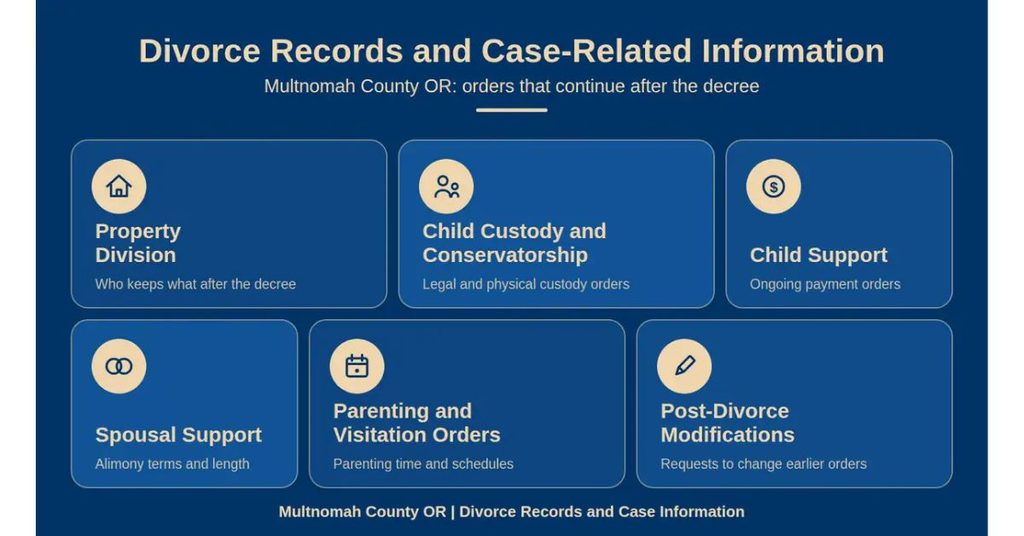
Divorce records include more than just the date the marriage ended. They often contain related orders covering property, custody, and support that continue long after the decree. These related records help people update benefits, enforce obligations, or file modifications. Reviewing related entries in the docket gives a complete picture of the case.
Property Division
Property division orders split marital assets and debts between the spouses. The decree lists real property, vehicles, bank accounts, retirement accounts, and debts assigned to each party. Property orders remain enforceable after the divorce becomes final. Copies of property orders help with refinancing, title transfers, and credit disputes.
Child Custody and Conservatorship
Child custody and conservatorship orders describe legal and physical custody arrangements and the rights of each parent. The court names a conservator who holds decision-making power for the child. Custody orders can be sole or joint depending on the case facts. These orders affect school enrollment, medical decisions, and travel permissions for the child.
Child Support
Child support orders set a monthly payment amount based on state guidelines and the parents’ income. The order lists the paying parent, the receiving parent, and the payment schedule through the Oregon Division of Child Support or by direct payment. Support orders stay in effect until the court modifies them or the child reaches the age of majority. Certified copies of support orders help with enforcement or modification filings.
Spousal Support
Spousal support orders, also called alimony, require one spouse to pay the other for a set period. The decree lists the amount, the payment frequency, and the duration. Spousal support may end early upon remarriage, cohabitation, or a court order. Reviewing the spousal support terms helps both parties track obligations and payments.
Parenting and Visitation Orders
Parenting time and visitation orders set the schedule for the child with each parent. The order includes holiday schedules, exchange locations, and transportation rules. Violations of parenting time can lead to enforcement motions and contempt findings. Certified copies of parenting orders are useful for travel consent, school records, and emergency contacts.
Post-Divorce Modifications
Post-divorce modifications change the terms of custody, support, or parenting time after the final decree. A party must show a substantial change in circumstances to request a modification. The court reviews the request and issues a new order that replaces the prior terms. Modification orders are filed under the original case number and become part of the same docket.
Privacy and Availability
Divorce records balance public access with personal privacy protections. Some information stays open while other details remain restricted or sealed. Knowing the privacy rules helps requesters avoid legal trouble and protects sensitive data. The court enforces privacy by redacting, restricting, or sealing specific records.
Protected Personal Information
Protected personal information includes Social Security numbers, financial account numbers, and dates of birth. The court removes these items from public versions of documents on request. Filers may also ask the court to keep sensitive exhibits under seal when needed. Requesting redaction adds processing time but keeps personal data safe.
Financial Information
Financial information such as tax returns, pay stubs, and bank statements often appears in support and property filings. These documents usually stay restricted after filing. Access to financial information typically requires party status or a court order. Certified redacted versions of financial filings can be provided for limited purposes.
Child-Related Information
Child-related information includes names, schools, and medical details that may appear in custody filings. The court restricts access to this data to protect the minor’s privacy. Parents and attorneys of record can view these records, while third parties need a court order. Restrictions remain in place until the child turns 18 or the court lifts them.
Sealed Case Materials
Sealed case materials include settlement memoranda, certain evaluations, and documents filed under seal by court order. These files stay outside public view and require a judge’s approval to open. Filing a motion to unseal is the standard route when a third party needs access. The court considers privacy interests and the reason for the request before ruling.
Records With Limited Access
Records with limited access include older files that exist only on microfilm or archived paper. Access may require special handling fees or a longer processing window. The clerk’s office can confirm whether an older case has been digitized. Limited access records may need an in-person visit for full viewing.
Accuracy and Search Limitations
Divorce records reflect the information parties provided at the time of filing. Errors in names, dates, or case numbers can complicate future searches. Confirming the accuracy of each data point reduces problems down the road. Search limitations also affect how recently filed or archived cases appear in the system.
Confirming the Correct Divorce Case
Always compare the spouse names, filing year, and court location to confirm you have the right case. Even small differences can lead to a different docket entry. Cross-check the case details with personal records before requesting certified copies. The court cannot refund fees for certified copies of the wrong file.
Matching Spouse Names
Name changes, spelling variations, and middle name differences often appear in court records. Match names exactly as listed on the petition to avoid missing the right case. If a name was changed during the marriage, look for both versions in the docket summary. Confirming the match before requesting copies prevents wasted processing time.
Verifying Case Numbers
Case numbers carry the year, a court code, and a sequence number. A single typo sends the search to a different docket or returns no results. Always copy case numbers directly from a reliable source, such as a prior court order. Court staff can confirm a case number over the phone when needed.
Recently Filed Records
Recently filed records may not appear online right away because the court needs time to scan and upload them. Processing delays can last from one to five business days. Calling the clerk’s office helps confirm whether a new case is available for viewing. Mail requests for very recent cases should include extra processing days.
Missing Documents
Missing documents may result from lost filings, misfiled papers, or records that have not been scanned. Older divorce files can have gaps if records were transferred or archived. Court staff can search the physical archives to locate missing items for a fee. A formal motion may be needed to reconstruct a record in rare cases.
Delayed Record Updates
Delayed record updates happen when the court enters judgments or orders later than the event date. The docket shows the entry date rather than the action date in those situations. Reviewing the full docket gives a clearer timeline than relying on a single document. Always check the most recent entries for the latest case status.
Records Held by Another Court
Records held by another court occur when a related case was filed in a different county or state. For example, a custody modification filed in another state stays under that court’s control. The Multnomah County clerk can direct requesters to the right courthouse. Sharing the full case history helps locate records held elsewhere.
Divorce Record Search Problems
Search problems often come from small data entry errors or missing information. Most issues have simple fixes through the official probate court records portal to review once you know where to look. Reviewing the common problems below helps solve search frustrations faster. Court staff can also help troubleshoot when the online portal returns no results.
No Divorce Record Found
A search that returns no results may mean the case was filed under a different name or in another county. Check spelling, try broader date filters, and search both spouse names. If the case still does not appear, contact the Records Department for help. Court staff can run a manual search using partial details.
Incorrect Name or Spelling
Names entered with even one wrong letter can keep the system from matching the case. Try alternate spellings, maiden names, or prior married names. Some cases list middle names or initials that affect the search. Adjust the name fields to widen the search and review the results carefully.
Incorrect Case Number
An incorrect case number sends the search to the wrong file or returns zero results. Always copy the case number from an official source, such as a prior court order or attorney correspondence. Contact the clerk’s office if you need help locating the correct number. The staff can search by name and confirm the right identifier.
Wrong Court or County
Selecting the wrong court or county filters out the case you need. Always pick “Multnomah” when searching for local divorces. For statewide searches, leave the county field open or check “All Counties.” Calling the clerk’s office helps confirm the correct location for older or transferred cases.
Record Not Yet Available
A record not yet available means the court has not finished scanning or entering the document. Wait a few business days and retry the search. Sensitive or sealed records may never appear publicly. Contact the clerk’s office for clarification when a key document stays unavailable.
Restricted or Sealed Record
Restricted or sealed records do not appear in the public portal. Only authorized parties and attorneys can view these files. A court order is required to access sealed materials. File a motion to unseal when you have a legal basis to request access to a restricted record.
Contact Information
For questions about court records, certified copies, or case-related documents, contact the Multnomah County Circuit Court Records Department using the information provided below. You can call the department to confirm record availability, request procedures, applicable fees, and document access requirements. For the latest contact details and court information, visit the official Oregon Judicial Department website.
- Multnomah County Circuit Court Records Department
- Phone: 971-274-0570
- Courthouse Address: 1200 SW 1st Ave., Portland, OR 97204
- Official Contact Page: https://www.courts.oregon.gov/courts/multnomah/pages/contacts.aspx
Frequently Asked Questions
Divorce records in Multnomah County help verify legal status, settle property issues, and update support paperwork. Accessing these documents is quick when you know the right portal and required details. The Oregon Judicial Department offers a free online case search, while the Records Department can assist by phone or in person for records not listed online.
How can I find Multnomah County divorce records online?
Visit the Oregon Judicial Department’s case search page. Enter the party’s name, case number, or filing year. Results show the docket, filing date, and judgment status. If the case does not appear, call 971‑274‑0570 to confirm the record’s location or request a certified copy.
What steps are needed to request a certified copy of a Multnomah County divorce decree?
First, locate the case using the online search or phone help. Next, complete the Records Request Form available on the court’s website. Submit the form by mail or in person at 1200 SW 1st Ave., Portland, OR 97204. Pay the fee (usually $10 per page) and allow 7‑10 business days for processing.
Can I obtain divorce records by spouse name in Multmultnomah County?
Yes. When using the online portal, select “Party Name” and type the spouse’s full name. The system matches both partners, showing the case number and filing details. If the name yields no results, verify spelling or try the other spouse’s name.
What information is required to verify a divorce case status?
You need the case number, filing year, or at least one party’s full name. With this data, the online search displays whether the case is pending, finalized, or sealed. For sealed cases, only the parties or their attorneys may receive a copy, and a court order is required.
How do I handle a missing or incorrect divorce record in Multnomah County?
Contact the Records Department at 971‑274‑0570. Explain the discrepancy and provide any supporting documents, such as a marriage certificate or previous court notice. The clerk will check the archive and may issue a corrected copy or guide you to the appropriate court if the record resides elsewhere.